CRM & My Work Dashboards
Use CRM-wide context and your personal workload view to decide what needs attention in Dove365 CRM — Starter.
My Work
Your work, at a glance
My Work is filtered to the logged-in user. It combines owned CRM records with open activities so each person can begin the day with the work that needs action.
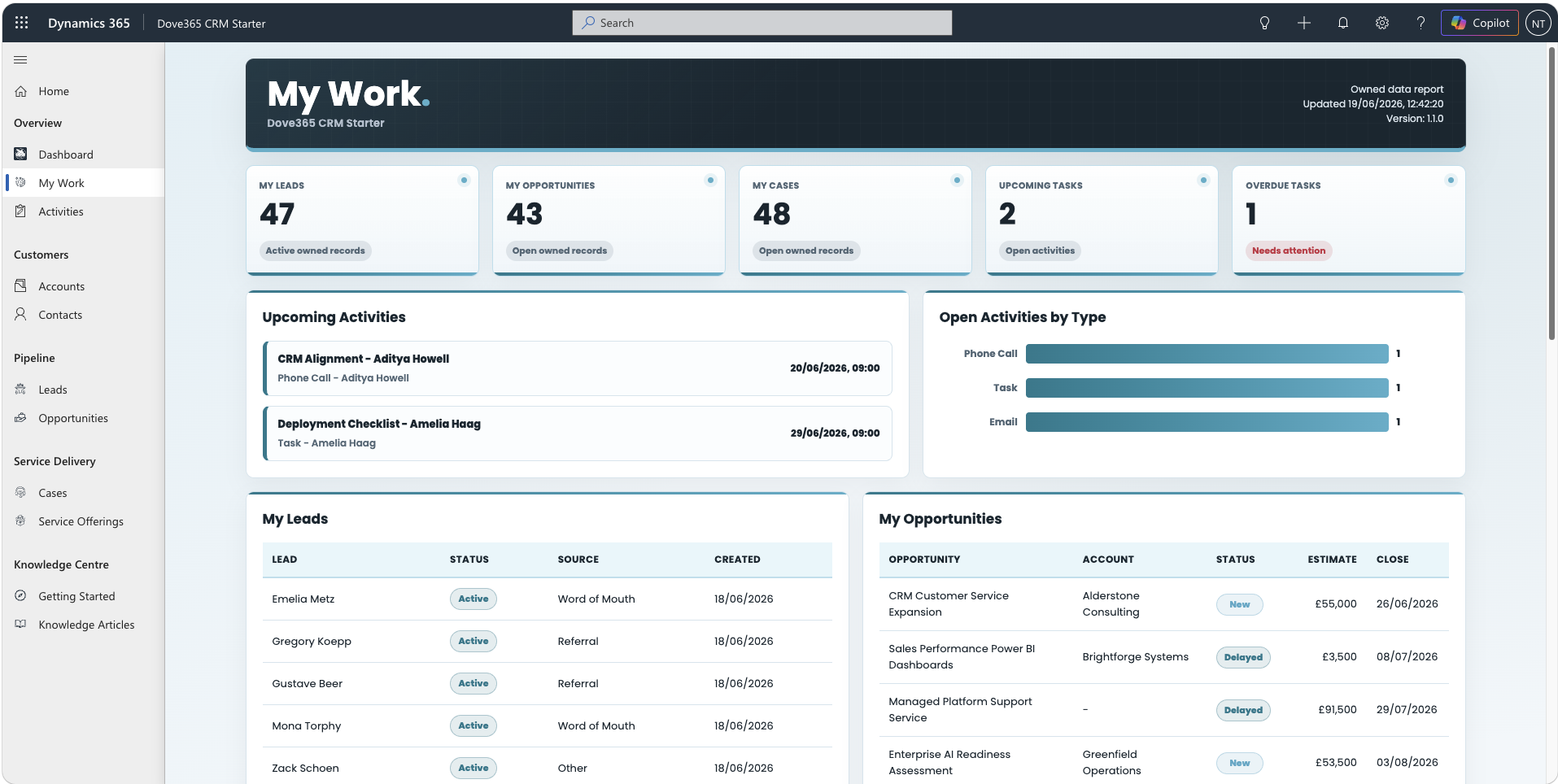
| KPI | What it means |
|---|---|
| My Leads | Active leads owned by you. |
| My Opportunities | Active opportunities owned by you. |
| My Cases | Active cases owned by you. |
| Upcoming Tasks | Open owned activities with a due date that has not passed. |
| Overdue Tasks | Open owned activities whose due date has passed. |
Daily Workflow
Turn insight into action
1
Open
Open My Work from the CRM dashboard area.
2
Review
Check KPIs, upcoming work, and overdue work.
3
Open records
Select a row to open the related Dataverse record.
4
Update
Update fields, notes, activities, and due dates.
5
Complete
Complete finished activities to keep KPIs accurate.
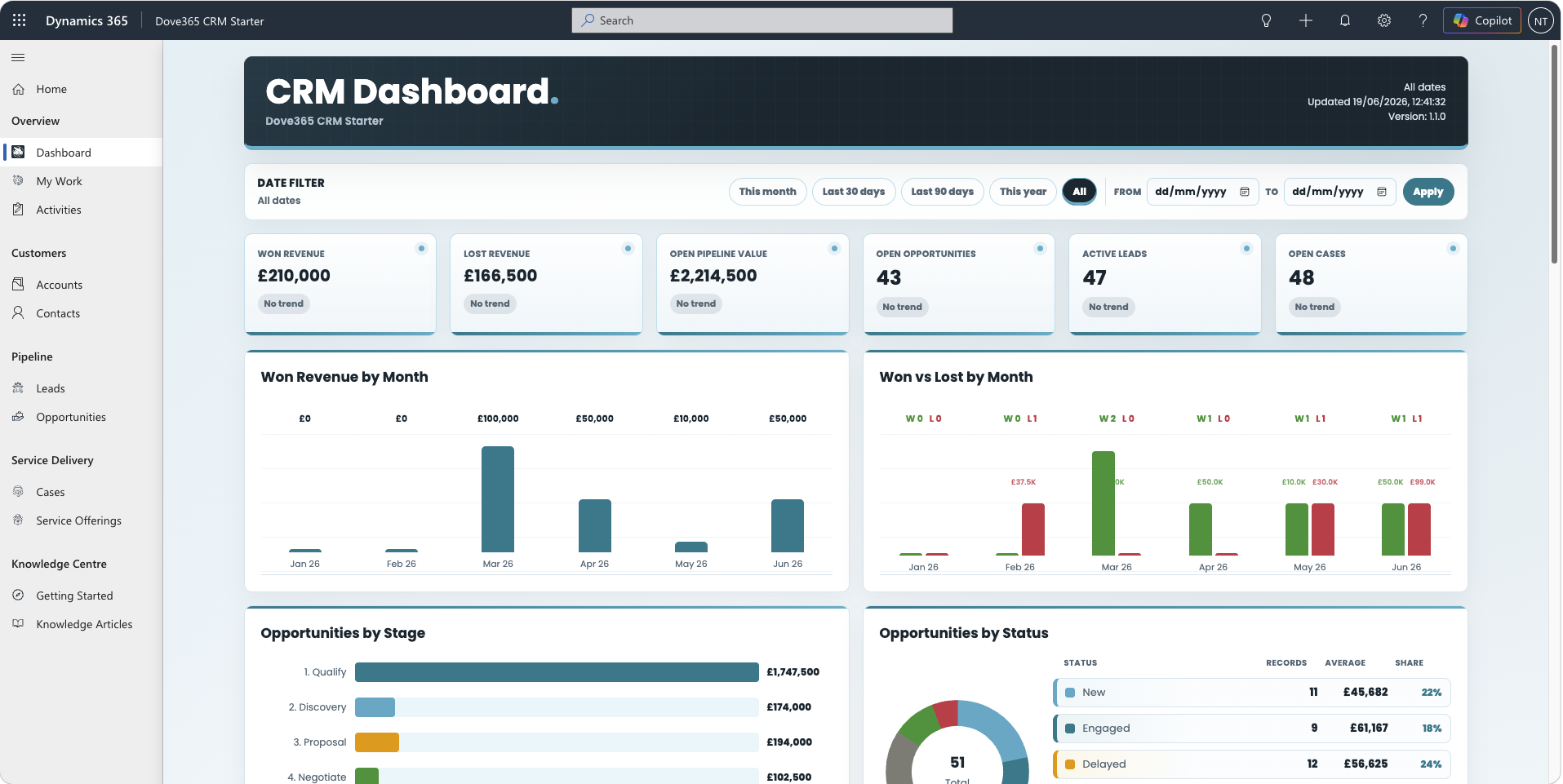
CRM Dashboard
The broader CRM picture
Use the CRM Dashboard for CRM-level context, then open the related records to investigate or act.
Troubleshooting
If a dashboard looks empty
No owned recordsConfirm the logged-in user owns active Leads, Opportunities, or Cases.
Activities are missingConfirm activities are open, owned by the user, and have due dates.
Rows do not openOpen the dashboard inside Dynamics and confirm permission to read the target record.
Request errorCapture the displayed diagnostics and ask an administrator to check Dataverse permissions and web-resource context.
Need the admin health view?
Environment Health belongs to Dove365 Common and is designed for administrators.