Environment Health Dashboard Guide
Confirm that users, roles, solutions, mailboxes, teams, document management, and environment metadata are ready for Dove365.
Opening the Dashboard
Begin every admin check here
Sign in with the Dove365 Global Admin role, open Dove365 Admin, then select General Settings, Dashboards, and Environment Health.
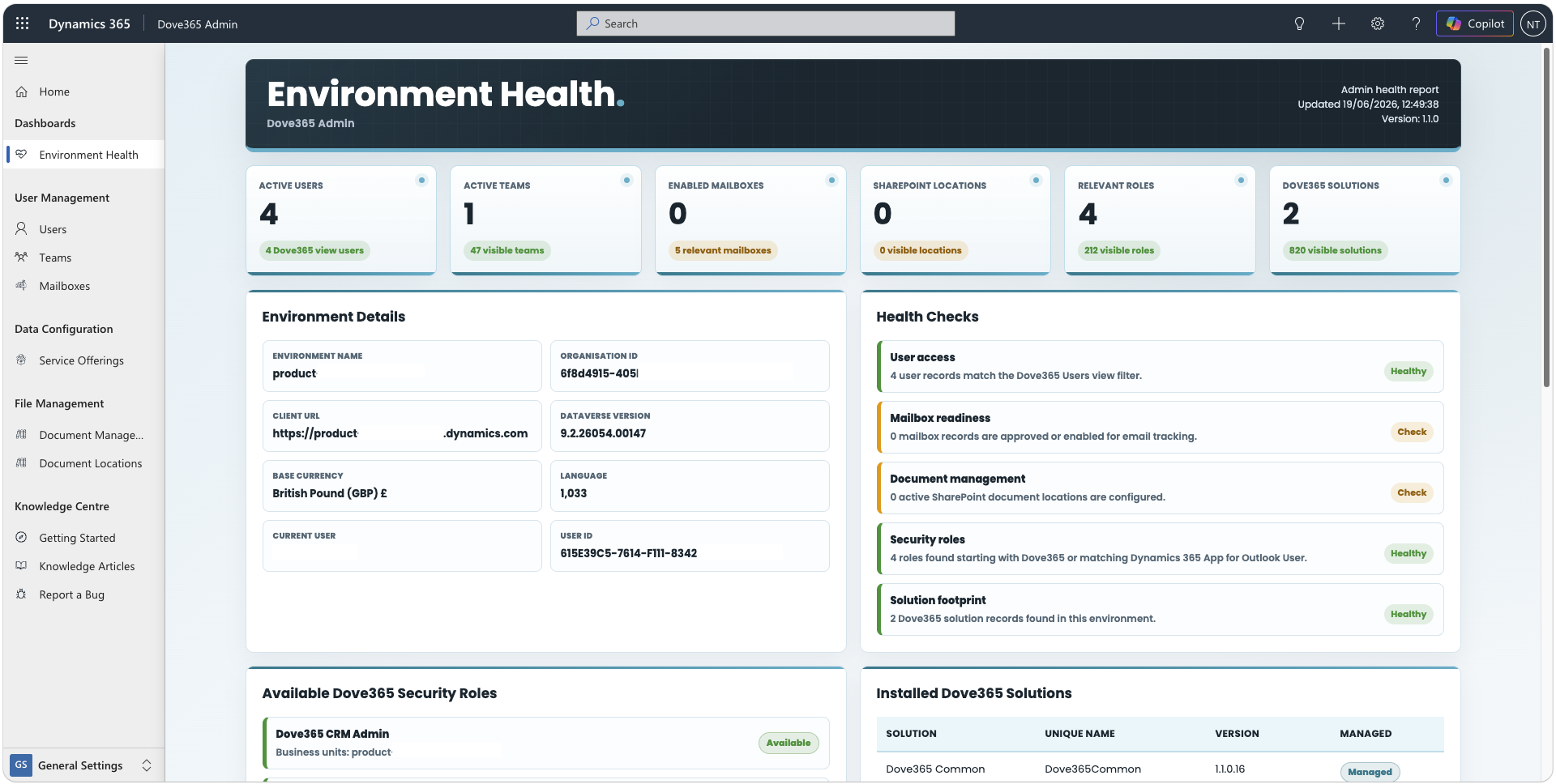
Dashboard Checks
What administrators should confirm
| Area | Expected result |
|---|---|
| Environment details | Environment name, organisation ID, URL, Dataverse version, current user, user ID, base currency, and language are populated. |
| Health KPIs | Active users, enabled mailboxes, teams, document locations, Dove365 roles, and Dove365 solutions show expected counts. |
| Security roles | Dove365 roles and Dynamics 365 App for Outlook User appear where expected. |
| Active Users | Active Entra-backed users appear and can be reviewed ten records at a time. |
| Rows | Selecting a row opens its Dataverse record when the dashboard runs inside Dynamics and access is permitted. |
Troubleshooting
Resolve unexpected results
Environment details do not loadConfirm the dashboard is opened as a Dataverse web resource and ClientGlobalContext is available.
No active users appearConfirm users are active and have an Entra object ID populated.
No Dove365 solutions appearConfirm the solution friendly name or unique name contains dove365.
No document locations appearConfigure SharePoint document management and create record document locations.
A row does not openConfirm the page is running inside Dynamics and the administrator has permission to open that record.
Continue with administration
Use Advanced Settings for platform configuration and the Admin Guide for operational checks.