Environment Setup Guide
A customer-friendly overview of what needs to be in place before Dove365 CRM — Starter can be deployed — covering licensing, platform requirements, and integration prerequisites.
What you need to get started
Dove365 CRM — Starter runs inside Microsoft Power Platform, which is part of Microsoft 365. Before deployment begins, your environment needs to meet a small number of prerequisites. Dove365 confirms all of these during the discovery call before any work begins.
Power Apps Premium for every user
Dove365 CRM — Starter uses Dataverse — Microsoft’s enterprise data platform — which requires a Power Apps Premium licence for each user who will access the system.
Power Apps Premium
Required for every user who will access Dove365 CRM — Starter. Power Apps Premium includes access to Dataverse-based applications — which is the platform Dove365 CRM — Starter is built on.
Microsoft 365
Your team should already be using Microsoft 365. Dove365 CRM — Starter integrates with Outlook, SharePoint, and Teams — all part of a standard Microsoft 365 subscription.
No Dynamics 365 required
Dove365 CRM — Starter does not require Dynamics 365 licences. This is one of the key ways it delivers enterprise-quality CRM at a significantly lower total cost of ownership.
Licensing summary
Required
Not required
Your Power Platform environment
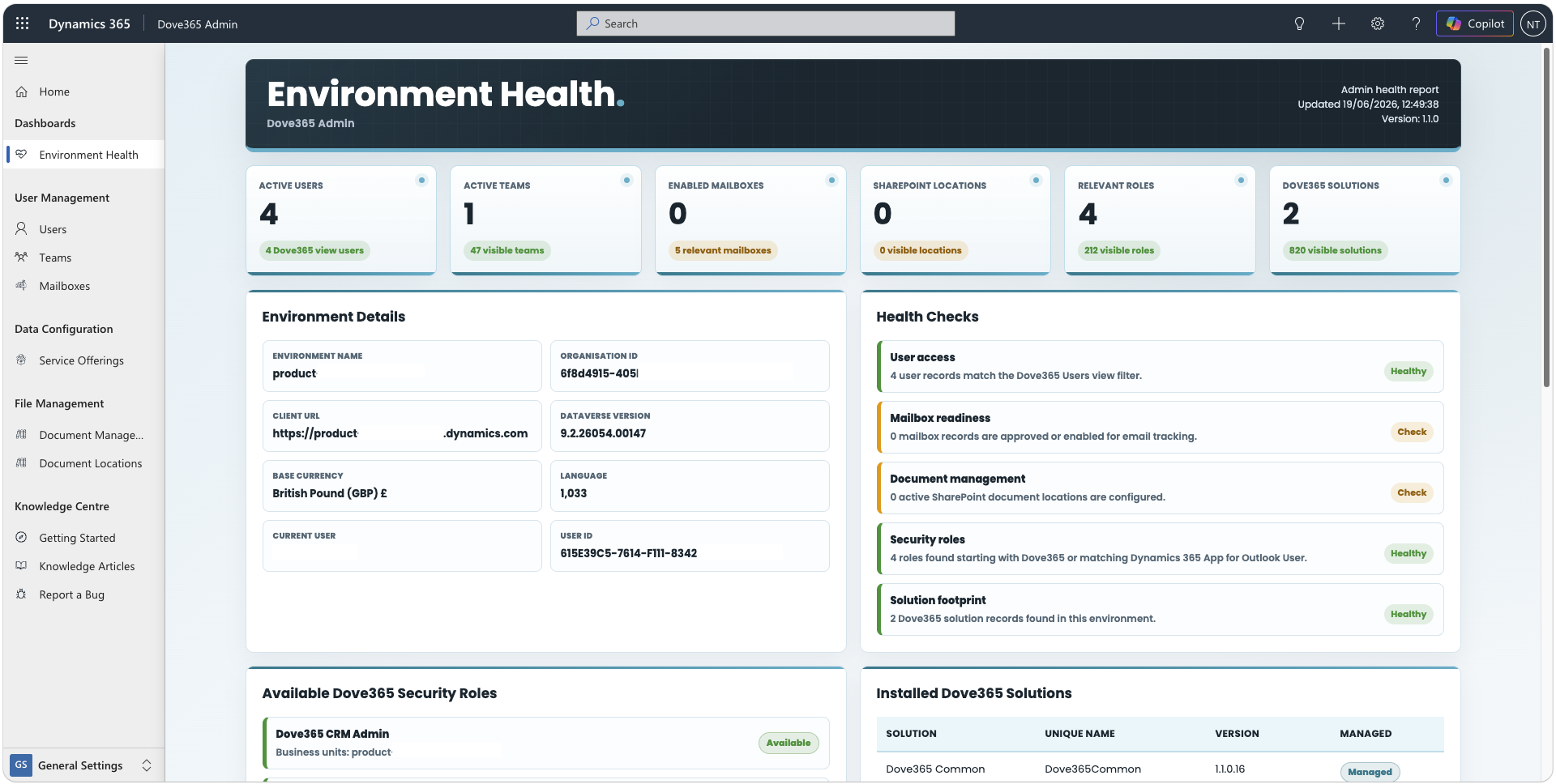
Dove365 CRM — Starter requires a Dataverse environment in your Microsoft 365 tenant — Microsoft’s managed data platform provided as part of Power Platform. Dove365 will help you confirm and configure the correct environment type.
Dataverse environment
A Dataverse environment is required to store CRM data. A Dynamics 365-enabled environment is recommended when the Dynamics 365 App for Outlook will be used. If you don’t already have one, Dove365 will help configure the appropriate environment type.
Power Apps capabilities
Power Apps Component Framework and Power Apps Code Apps must be enabled. Dove365 confirms these standard capability settings as part of deployment setup.
AI-ready infrastructure
Dove365 CRM — Starter is built on Dataverse. Enable Dataverse Intelligence and Dataverse Model Context Protocol so the environment meets the required prerequisites and is ready for controlled future extensions.
Connecting email to your CRM
For Outlook integration to work, your email environment needs to support server-side synchronisation. This is standard configuration for most Microsoft 365 organisations using Exchange Online.
Microsoft 365 with Exchange Online
Dove365 CRM — Starter’s Outlook integration is designed for Microsoft 365 with Exchange Online. Most organisations using Microsoft 365 already meet this requirement.
Server-side synchronisation
Server-side sync needs to be enabled for each user’s mailbox. This allows CRM to automatically track emails and synchronise appointments with Outlook. Dove365 configures this as part of deployment.
Mailbox approval
Each mailbox used with Dove365 CRM — Starter needs to be approved and tested within the Power Platform admin experience. Dove365 handles this configuration during the deployment process.
Dynamics 365 App for Outlook
If users want the in-Outlook CRM panel, this app must be deployed to their Outlook by the CRM administrator. Dove365 sets this up as part of the Outlook integration configuration.
Document management prerequisites
Dove365 CRM — Starter’s document management requires a SharePoint site in your Microsoft 365 tenant. Most organisations using Microsoft 365 already have this in place.
SharePoint Online site
A SharePoint site is required for document management. Dove365 CRM — Starter creates linked document libraries within this site, connected directly to your CRM records.
SharePoint integration enabled
Server-based SharePoint integration between Power Platform and SharePoint needs to be enabled at the environment level. Dove365 configures this as part of the deployment.
Document management settings configured
Specific record types — accounts, contacts, opportunities, cases — need to be enabled for document management. Dove365 sets this up based on your requirements during configuration.
The full deployment process
All of the above is handled by Dove365 as part of the Dove365 CRM — Starter deployment. You don’t need to be a Microsoft expert — that’s what Dove365 is for.
Discovery Call
Review your Microsoft 365 setup, confirm licences, identify the right environment type, and agree on integration requirements.
Environment Prep
Dove365 confirms and configures the Dataverse environment, enables required capabilities, and prepares for Dove365 CRM — Starter installation.
Configuration
Dove365 CRM — Starter is deployed and configured to your business — fields, views, service offerings, security roles, Outlook, and SharePoint.
Handover
Testing confirms everything works. Your team receives a live training session and built-in documentation on go-live day.
Continue learning
CRM Overview
Understand what Dove365 CRM — Starter is, who it’s built for, and how all the modules work together in one system.
User Management
Once deployed, understand how to provision users, assign roles, and manage ongoing team access.
FAQ
Common questions about licensing, compatibility, customisation, and how Dove365 deploys Dove365 CRM — Starter.
Ready to see Dove365 CRM — Starter in action?
Book a free demo and see how Dove365 CRM — Starter can work for your business inside Microsoft 365.