Lead Management Guide
Track prospects from first contact through qualification and conversion. Understand how Dove365 CRM — Starter structures the lead process and how to use it effectively.
Capturing early-stage prospects
A lead represents an unqualified prospect or enquiry — a new contact from a referral, a website enquiry, or someone your team met at an event. Leads are separate from accounts, contacts, and opportunities until they are qualified and converted.
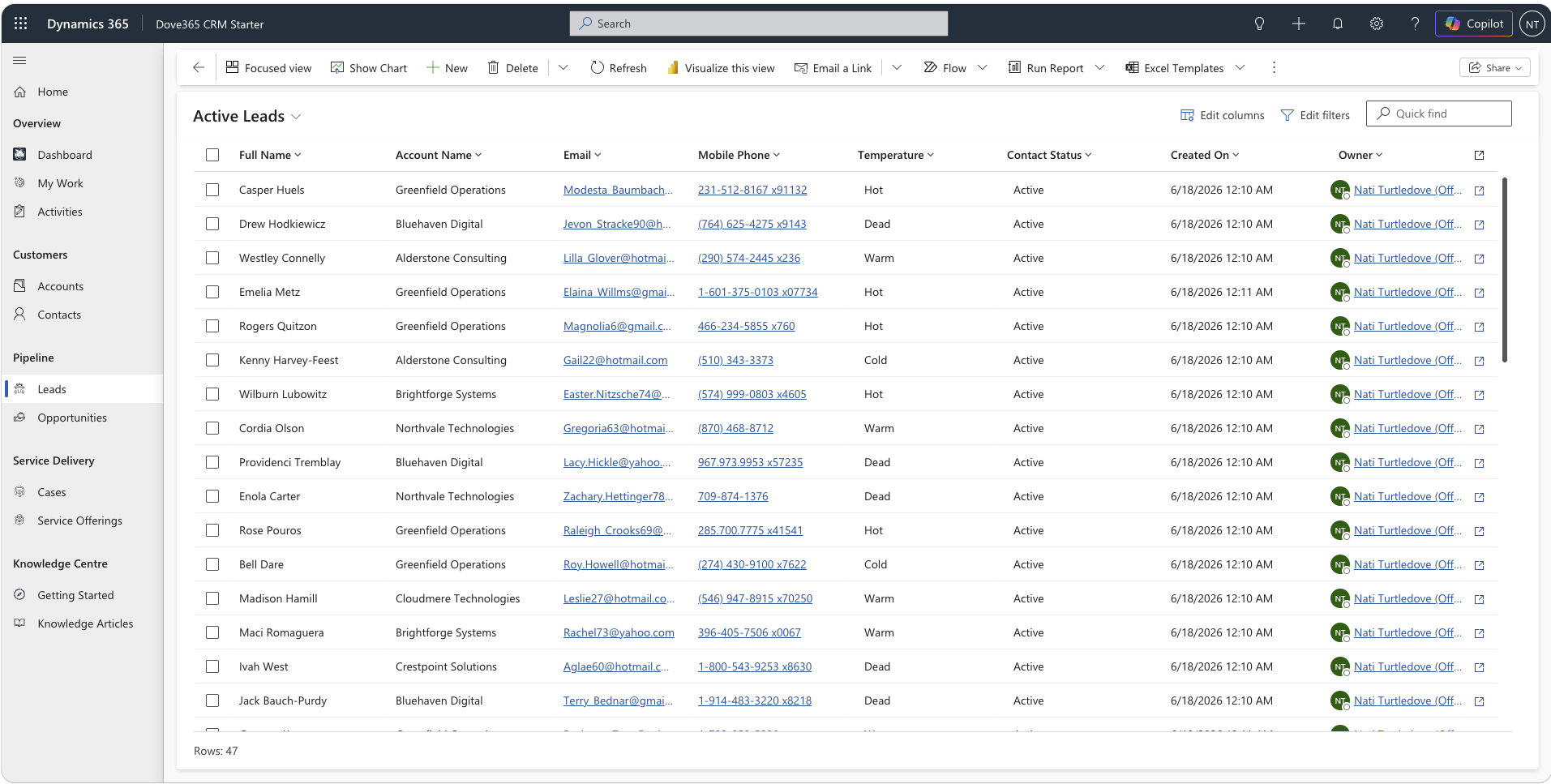
Structured from first contact
Leads capture the full details of a prospect before any relationship has been formally established — name, contact info, source, and initial notes.
Separate from your core data
Leads live in their own area of CRM until they are ready to become a contact, account, or opportunity. This keeps your core customer database clean and uncluttered.
Temperature tracking
Leads can be marked as Hot, Warm, Cold, or Dead, helping your team prioritise follow-up and focus effort where engagement is strongest.
Full activity history
Every call, email, task, and note is logged on the lead timeline, giving your team a complete picture of the engagement before making any conversion decision.
Five stages from enquiry to conversion
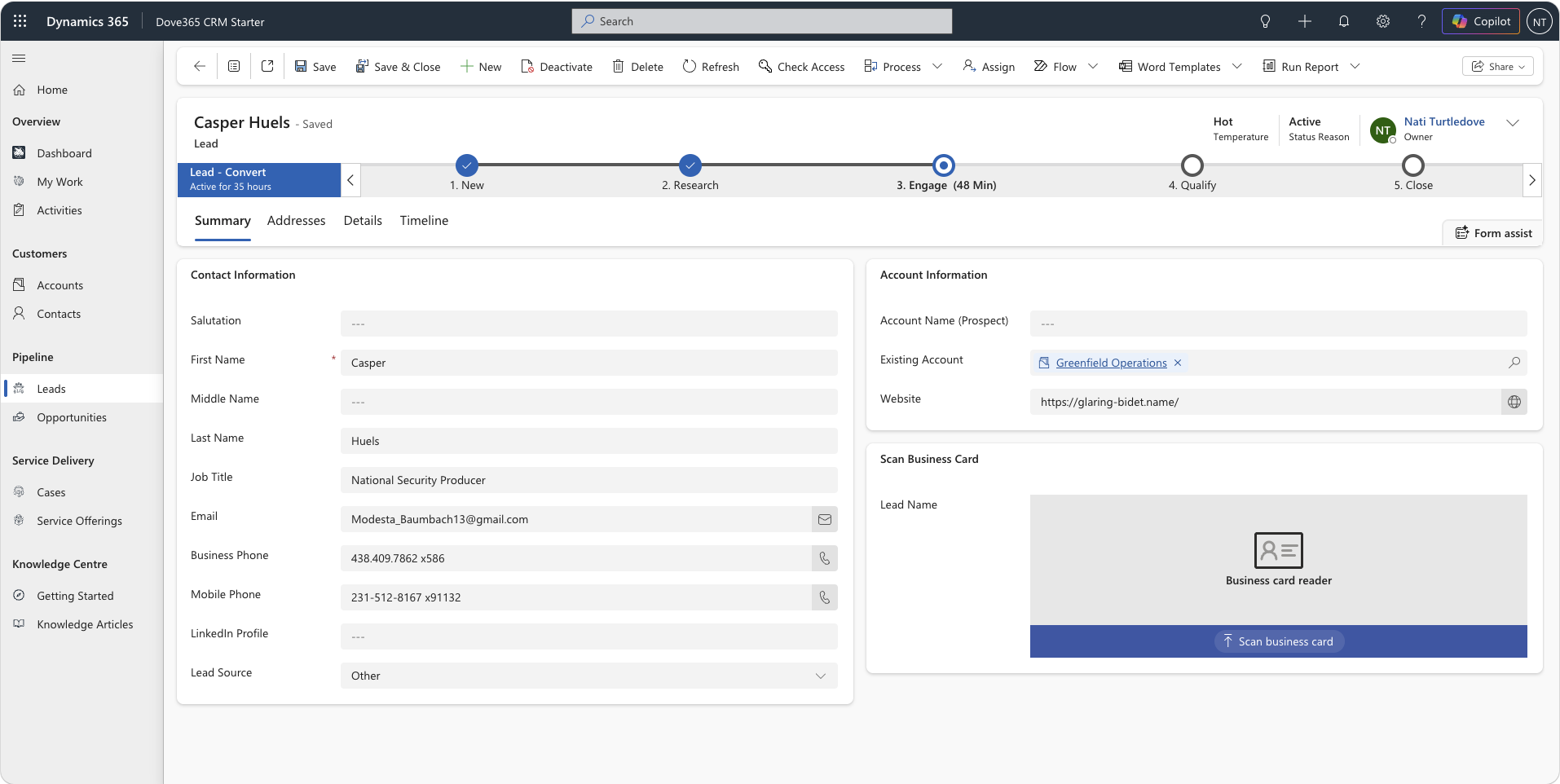
Every lead in Dove365 CRM — Starter moves through a guided process that ensures consistent handling across your team. The business process flow prompts each step and records what was done.
New
Create the lead record with name, contact details, source, and initial notes. This is the starting point for every new prospect or enquiry.
Research
Check whether the prospect already exists as an account or contact in CRM. If they do, link the lead to the existing records to avoid duplication.
Engage
Log calls, emails, and meetings on the timeline. Set the temperature to reflect how the conversation is progressing. Add notes for important context.
Qualify
When there is enough evidence that the prospect is a genuine opportunity, mark the lead as qualified and record your rationale for the conversion decision.
Convert
Create or link the account and contact. Optionally create an opportunity directly from the lead. All history is preserved and connected to the new records.
Lead management in practice
How Dove365 CRM — Starter helps real sales teams manage leads consistently — regardless of how the prospect first made contact.
Getting the most from lead management
Create leads early
Add a lead record as soon as a new prospect is identified, even if you only have a name and an email address. A partial record is better than a lost prospect.
Always check for duplicates
Use the Research stage to check for existing accounts and contacts before creating new ones. Duplicate data is one of the biggest causes of CRM quality problems over time.
Keep the timeline current
Log calls and emails as activities on the lead timeline. Your colleagues will rely on this history if they need to cover your leads, and it prevents repeated conversations with the same prospect.
Use temperature to prioritise
Hot leads should be at the front of your follow-up queue. Review Cold leads regularly — either re-engage or close them to keep your lead list focused and manageable.
Convert with intention
Only convert a lead when you have enough information to create a meaningful account and contact record. A lead converted too early creates noise in your core customer data.
Close leads that don’t progress
Don’t leave inactive leads sitting in your pipeline indefinitely. Close them with a clear reason. This improves reporting accuracy and reveals useful patterns about why prospects don’t progress.
Continue learning
Opportunity Management
Once a lead is converted, manage the resulting opportunity through your sales pipeline from qualification to close.
Activity Tracking
Log calls, emails, and tasks against leads and other records. Understand how the timeline builds your customer engagement history.
CRM Overview
Understand the full Dove365 CRM — Starter system — modules, workflow, and how everything connects together.
Ready to see Dove365 CRM — Starter in action?
Book a free demo and see how Dove365 CRM — Starter can work for your business inside Microsoft 365.