Security Roles Guide
Understand what each security role in Dove365 CRM — Starter allows users to do — and how roles are assigned to control access across your team.
Role-based access control in CRM
Security roles control what users can see and do inside Dove365 CRM — Starter. Every user must have at least one role assigned before they can access the system. Roles are additive — if a user has multiple roles, they have the combined permissions of all assigned roles.
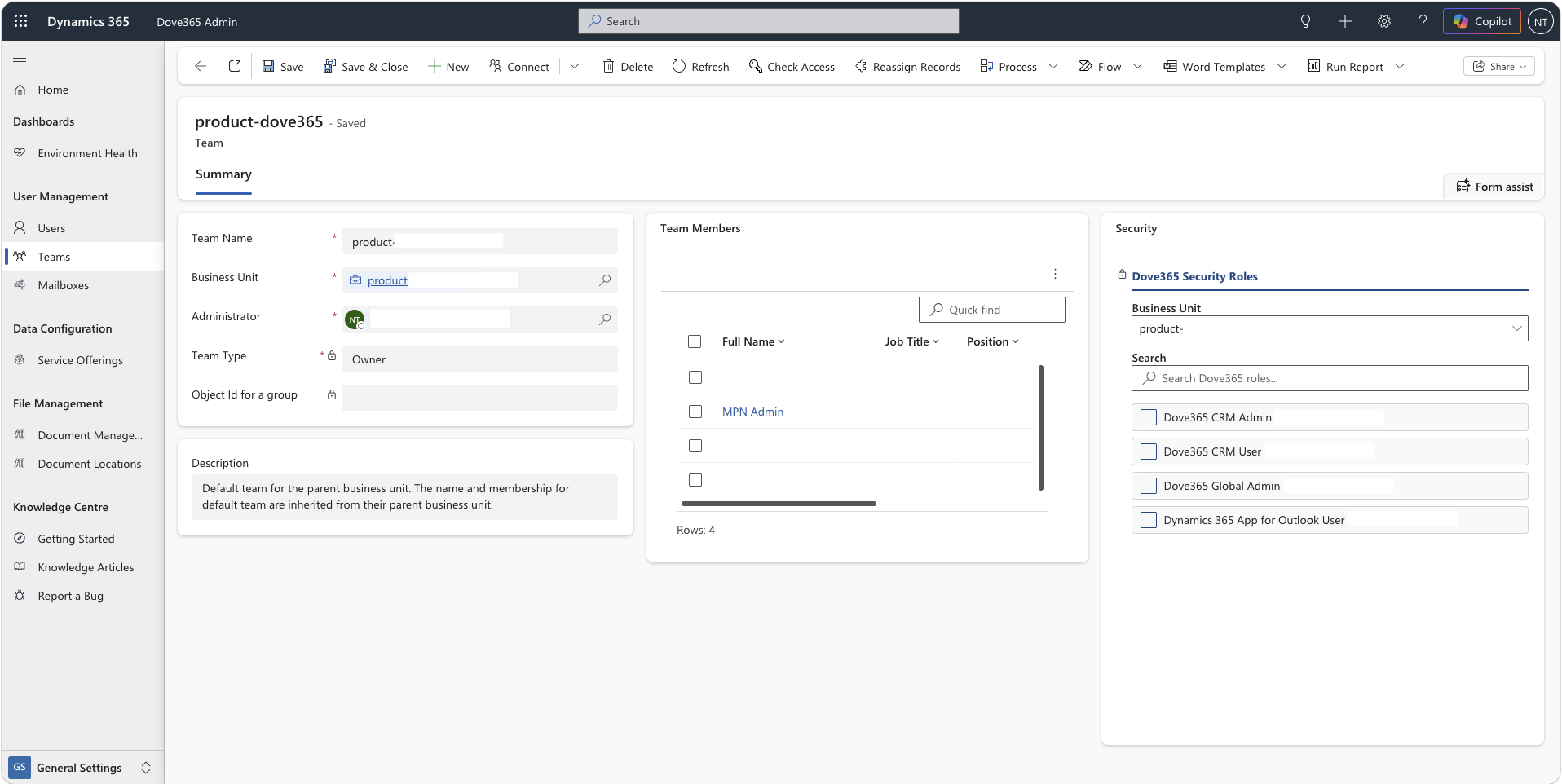
Access at the right level
Security roles control access to individual modules, forms, views, and actions within CRM. Users only see and interact with the parts of CRM that are relevant to their role and responsibilities.
Flexible role assignment
Roles can be assigned directly to individual users, or to teams. Users in a team inherit the team’s roles in addition to any roles assigned directly to them. Both apply simultaneously.
Purpose-built access roles
Dove365 CRM User supports day-to-day work, Dove365 CRM Admin supports CRM data administration, Dove365 Global Admin unlocks the Admin app, and Dynamics 365 App for Outlook User enables the Outlook add-in where configured.
The standard CRM user role
The Dove365 CRM User role is the standard role for anyone using Dove365 CRM — Starter day to day — sales teams, account managers, support staff, and any user who works with CRM data without administrative responsibilities.
Manage accounts and contacts
Create, view, update, and search accounts and contacts. CRM Users maintain the core customer database and keep records current as relationships evolve.
Work the pipeline
Create and manage leads and opportunities through the full sales process — logging activity, updating stages, and closing deals as Won or Lost.
Handle cases
Create support cases, log investigation notes, manage escalations, and record resolutions. Full visibility of the cases relevant to their own work.
Log activities
Create and complete emails, phone calls, tasks, appointments, and notes against any CRM record they have access to. Build the communication history that makes CRM valuable.
Access dashboards and views
View dashboards showing pipeline, cases, and activity. Work with standard views across all CRM modules to find and manage records efficiently.
CRM data administration
The Dove365 CRM Admin role is for those responsible for managing the CRM data and catalogue. It extends the Dove365 CRM User role with the ability to delete records and maintain the service offering catalogue — actions that standard users cannot perform.
Delete CRM records
Permanently delete accounts, contacts, leads, opportunities, and cases. Standard users can deactivate records but cannot delete them. Use this permission carefully — deletions are not reversible.
Manage the service catalogue
Create, update, and deactivate service offerings. Maintain the shared catalogue that users attach to opportunities and cases when categorising pipeline and support activity.
All Dove365 CRM User access
Inherits the full Dove365 CRM User permission set — all standard CRM data entry, pipeline management, case handling, and activity logging capabilities are included.
System and user administration
The Dove365 Global Admin role is assigned in the Dove365 Admin app and is responsible for user management, teams, data configuration, and environment administration. This role exists in the Common solution and applies across all Dove365 apps in the environment.
User management
Add new users, assign and remove security roles, and deactivate leavers. Manage user profiles including business unit, manager, and position settings across the team.
Teams management
Create and configure teams, assign roles to teams, and manage team memberships. Use teams to manage access at scale — roles applied to a team apply to all members automatically.
Mailbox configuration
Approve and test user mailboxes for server-side synchronisation. Manage mailbox settings and resolve email tracking issues for individual users across the organisation.
Data configuration
Manage environment-level data settings, views, and configuration options in the Dove365 Admin app. Includes managing SharePoint document location settings for CRM record integration.
Outlook add-in deployment
Assign the Dynamics 365 for Outlook role to users and manage add-in deployment so users can access the CRM panel directly from their Outlook inbox.
How roles are assigned
Roles are assigned through the Dove365 Admin app using a straightforward interface. CRM administrators can see all available Dove365 roles and assign or remove them without needing technical system administration expertise.
Continue learning
User Management
Understand how to provision users, create teams, and keep access current as your team changes over time.
Environment Setup
Understand the prerequisites for deploying Dove365 CRM — Starter, including the licence and environment requirements for users.
FAQ
Common questions about Dove365 CRM — Starter — including licensing, customisation, and how Dove365 handles deployment.
Ready to see Dove365 CRM — Starter in action?
Book a free demo and see how Dove365 CRM — Starter can work for your business inside Microsoft 365.